How to Buy Japanese iTunes Cards Online from Outside Japan
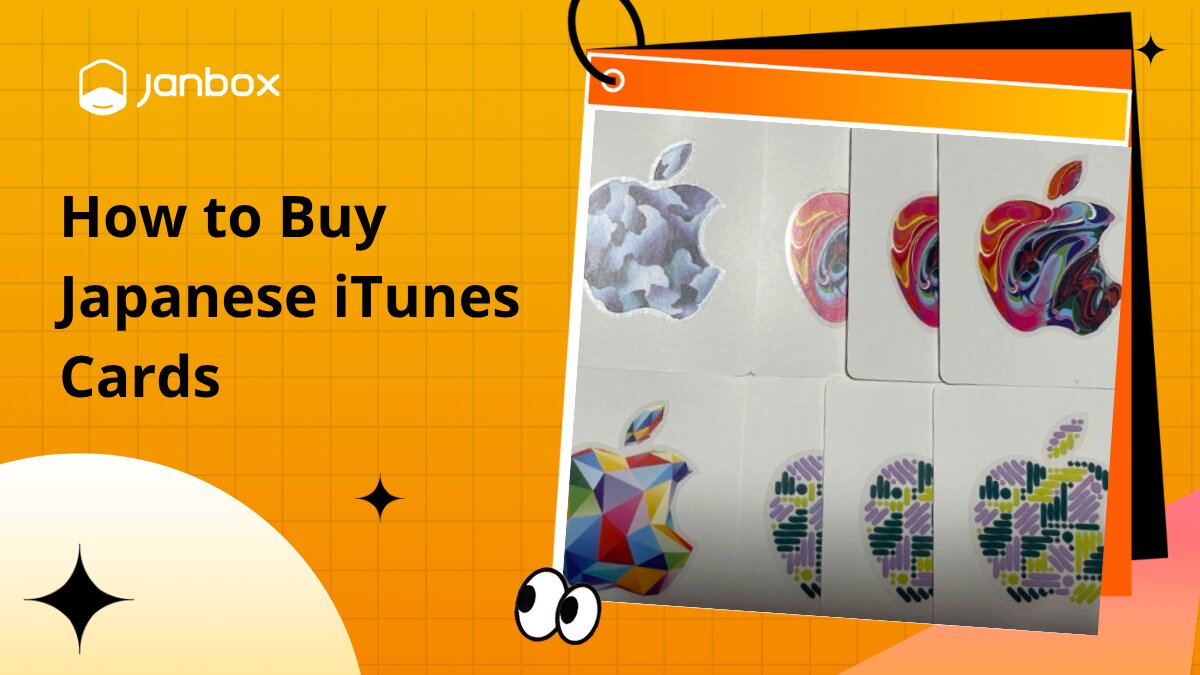
If you're looking to buy a Japanese iTunes card, chances are there's something on the Japanese App Store you can't easily pay for from your current account. Maybe it's a Japan-only game, an app that isn't available in your region, or an in-app purchase that requires Japanese Apple Account balance.
The tricky part is knowing where to buy the right card from outside Japan and making sure it will actually work with your account. This guide covers where to find Japanese iTunes cards online, what to check before paying, and how to redeem your code once you have it.
What Is a Japanese iTunes Card?
A Japanese iTunes card is a gift card made for Apple's Japanese storefront. Although many people still search for it as an “iTunes card,” Apple now sells these cards under the Apple Gift Card name in Japan.
Once redeemed to a Japanese Apple Account, the value is added to your Apple Account balance in Japanese yen. That balance can then be used for eligible purchases from Apple, including apps, games, in-app purchases, music, movies, and subscriptions.
The important part is the region. A Japanese card is intended for the Japanese storefront, so you cannot simply buy one and redeem it to an Apple Account registered in another country. This is why checking your account region should come before choosing a card.
Why Buy a Japanese iTunes Card?
For most overseas buyers, the reason for buying one is not the gift card itself. It is a way to add Japanese yen to an Apple Account when the content or payment route they need is tied to the Japanese storefront.
Pay on the Japanese App Store
Having a Japanese Apple Account gives you access to the Japanese App Store, but paying for purchases can be another matter. Your usual overseas payment method may not work with the Japanese storefront or may not match the account's billing region.
A Japanese iTunes card provides another way to fund the account. Redeem the card first, and its value becomes Apple Account balance that can be used toward eligible purchases in the Japanese store.
Buy Japan-Only Apps and Games
Some apps and games are released specifically for Japan or appear on the Japanese App Store before becoming available elsewhere. If you maintain a Japanese Apple Account to access these titles, you may eventually need Japanese balance to purchase paid content.
This is particularly relevant for players who follow Japanese mobile games, regional releases, or apps that never receive a version in their home App Store.
The gift card does not change your App Store region or unlock Japanese content by itself. You still need the appropriate Japanese Apple Account setup.
Make In-App Purchases in Japanese Games
Downloading a Japanese game is only the first step for many players. Once inside the game, paid content may include premium currency, monthly passes, character packs, additional content, or other in-app purchases.
This is where Japanese Apple Account balance becomes particularly useful. Instead of relying on an overseas card that may not be accepted for the Japanese storefront, you can redeem a Japanese gift card and use the available balance for eligible in-app purchases.
Before adding a large balance, however, check that the game and the purchase you want are still available through your Japanese account.
Pay for Japanese Digital Content
The balance is not limited to games. Depending on eligibility, Apple Account balance can also be used for apps, music, movies, books, subscriptions, iCloud+, and other Apple products or services available through the Japanese ecosystem.
This makes a Japanese iTunes card relevant for anyone who regularly uses a Japanese Apple Account, not only gamers. The key is to buy the correct Japanese-region card and understand what your Apple Account balance can be used for before adding more credit than you actually need.
Where to Buy Japanese iTunes Cards Online
There are several ways to buy a Japanese iTunes card online, but they are not equally practical for every buyer. The best route depends on whether you want to purchase directly from Japan, receive a digital code quickly, or access Japanese shopping sources from overseas.
Before comparing prices, remember that you are specifically looking for a Japan-region Apple Gift Card denominated in Japanese yen. A cheaper card for another region will not serve the same purpose.
Option | Best For | Delivery | Key Consideration |
Apple Japan | Buying from the official source | Digital / varies by product | Japanese purchase requirements |
Amazon Japan | Shopping through a major Japanese marketplace | Digital options where available | Check seller and card region |
Japanese Retailers | Accessing domestic Japanese listings | Physical / digital | Often designed for buyers in Japan |
Gift Card Websites | Overseas buyers seeking codes | Usually digital | Markup and seller reliability |
Accessing Japanese shopping sources from overseas | Depends on listing | Cross-border purchasing support |
Buy Directly from Apple Japan
Apple Japan is the most obvious place to check because you are buying within Apple's official Japanese ecosystem. It also removes much of the uncertainty about whether the product itself is an official Apple Gift Card.
The difficulty comes at checkout. Apple's stores and services are region-sensitive, and purchasing from the Japanese storefront does not necessarily mean an overseas Apple Account, billing address, or payment method will be accepted in the same way as a domestic Japanese setup.
If you can meet the purchase requirements, buying directly is a straightforward route. If not, repeatedly changing account settings simply to force the transaction through is rarely worth the trouble.
Buy from Japanese Online Stores
Japanese ecommerce sites provide another route. Amazon Japan is one place to check, while other domestic retailers may also list Apple Gift Cards in physical or digital formats depending on current availability.
Do not assume every listing labeled “Apple Gift Card” is interchangeable. Before buying, check:
Region: It should clearly be intended for Japan.
Currency: Confirm that the value is denominated in JPY.
Denomination: Make sure the amount matches how much balance you actually need.
Format: Check whether you are purchasing a digital code or physical card.
Seller: On marketplaces, verify who is actually selling the card.
Delivery: Confirm how and where the product or code will be delivered.
Domestic stores can also introduce the same problem you encounter with other Japanese products: some listings are designed for customers in Japan and may not support an overseas payment method or international delivery.
Buy Through Digital Gift Card Websites
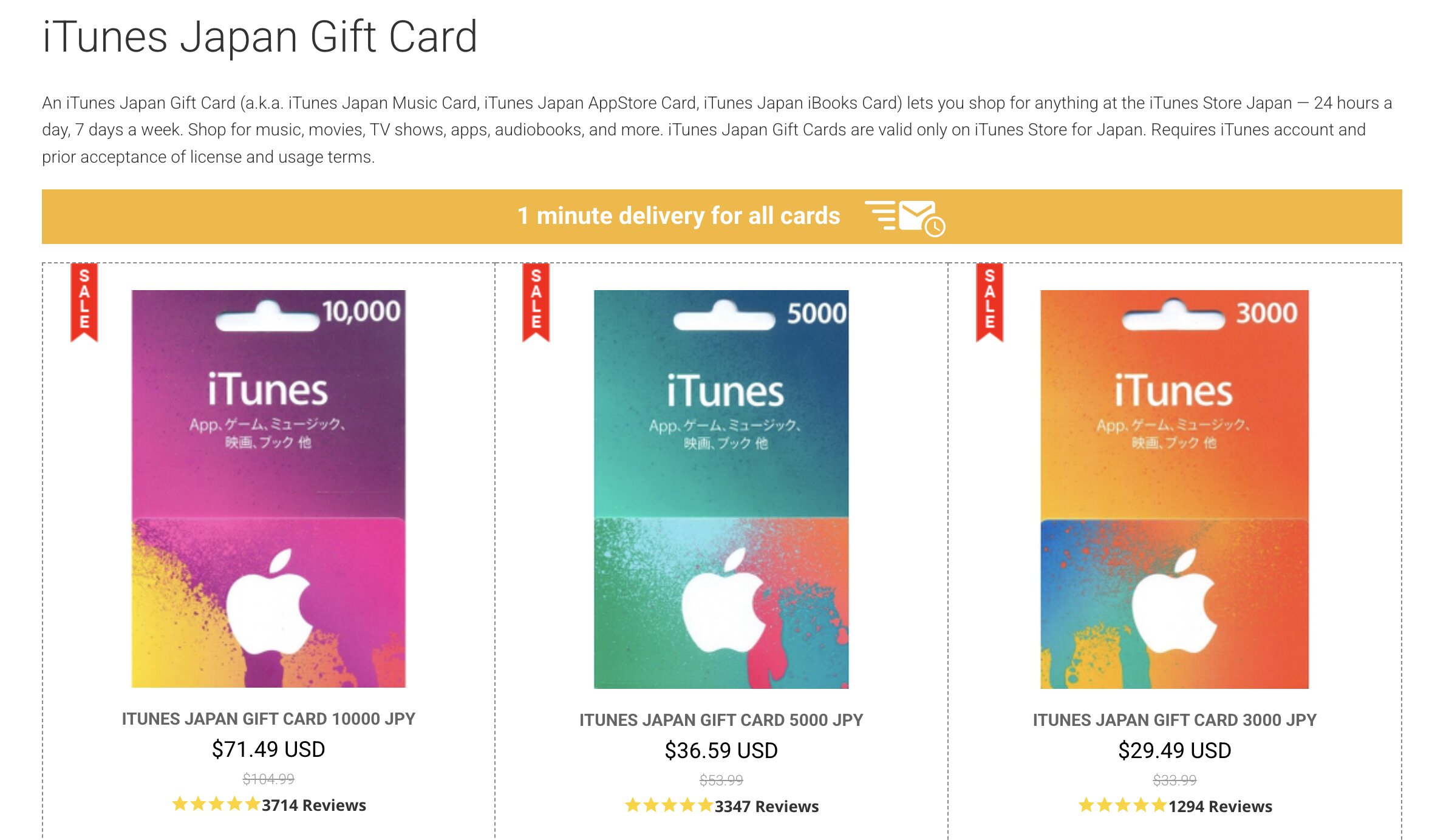
If your priority is getting a code rather than a physical card, third-party digital gift card websites are another common option. These services typically sell Japanese-denominated cards to international customers and deliver the redemption code electronically.
This route can be convenient, but the price you pay may be higher than the actual JPY value loaded onto the card. For example, a ¥5,000 card may cost more than the direct currency equivalent once the seller's markup, payment processing, or currency conversion is included.
Seller reliability matters even more with digital codes because they are generally difficult to return once revealed or delivered. Before paying, check the site's reputation, refund policy, accepted payment methods, delivery terms, and whether the listing explicitly states that the code is for the Japanese Apple Store region.
A low advertised price should not be the deciding factor. For digital gift cards, knowing exactly what region you are buying, how the code will be delivered, and what happens if it does not work is more important than saving a small amount upfront.
Buy Japanese Gift Cards with Janbox
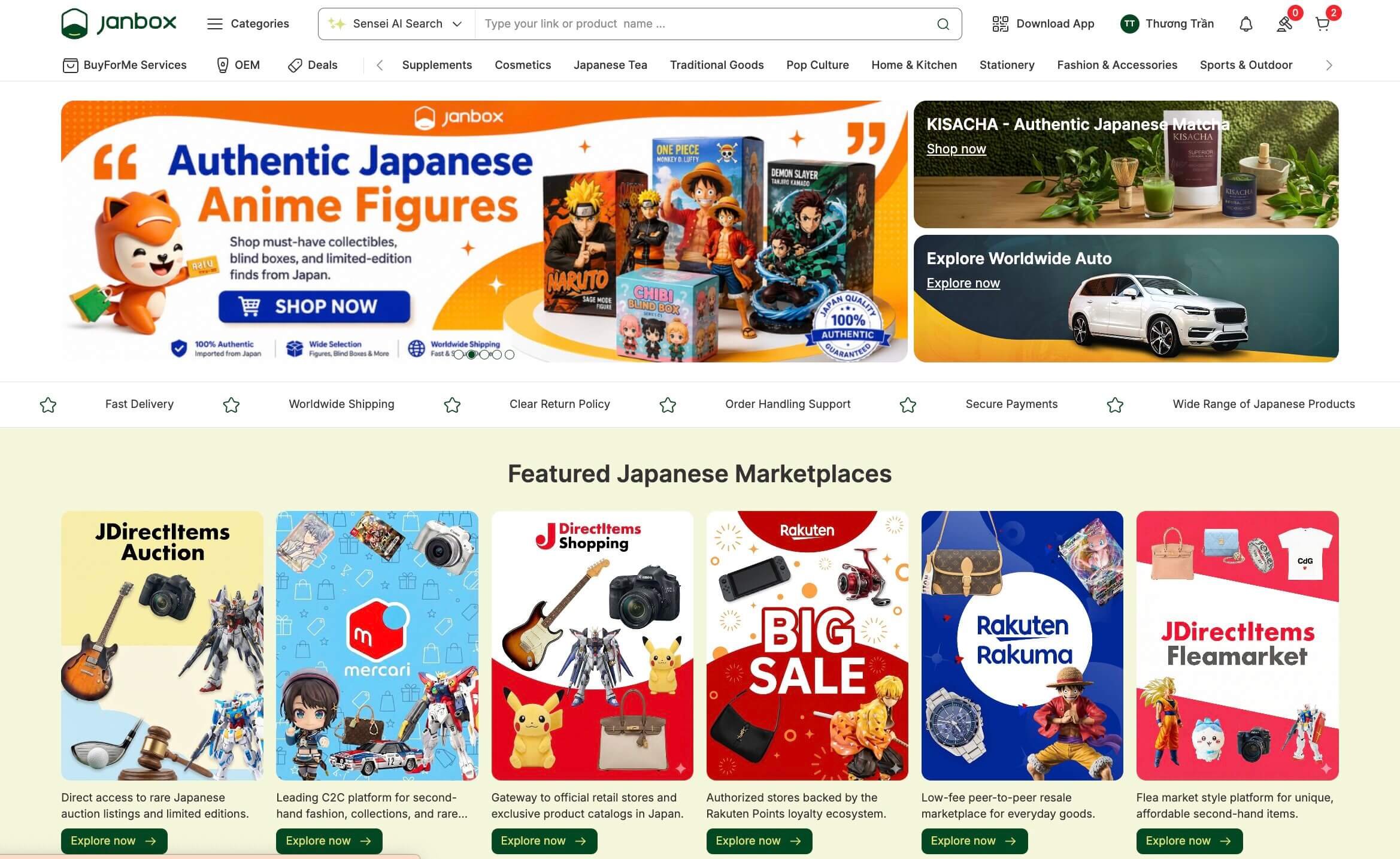
If Japanese stores have the card you want but purchasing from overseas becomes difficult, Janbox offers another way to access Japanese listings without limiting your search to retailers that support international checkout.
Janbox is a cross-border marketplace that connects international shoppers with products available across Japanese stores and marketplaces. For Japanese gift cards, you can either search directly on Janbox or use a product listing you have already found on a Japanese website.
This route is particularly useful when:
You want to search across Japanese sources: Look beyond a single retailer for available gift card listings.
You already found a specific card: Paste its Japanese product URL into Janbox rather than starting your search again.
The Japanese seller focuses on domestic customers: Janbox provides the cross-border purchasing infrastructure needed to access eligible Japanese listings.
You are buying a physical card: Eligible physical purchases can be received at the Japan warehouse before you arrange international shipping.
Availability and delivery depend on the individual listing, so always check whether you are buying a Japan-region card, its JPY value, and whether it is digital or physical before placing an order. The step-by-step Janbox process is covered later in this guide.
How to Buy a Japanese iTunes Card with Janbox
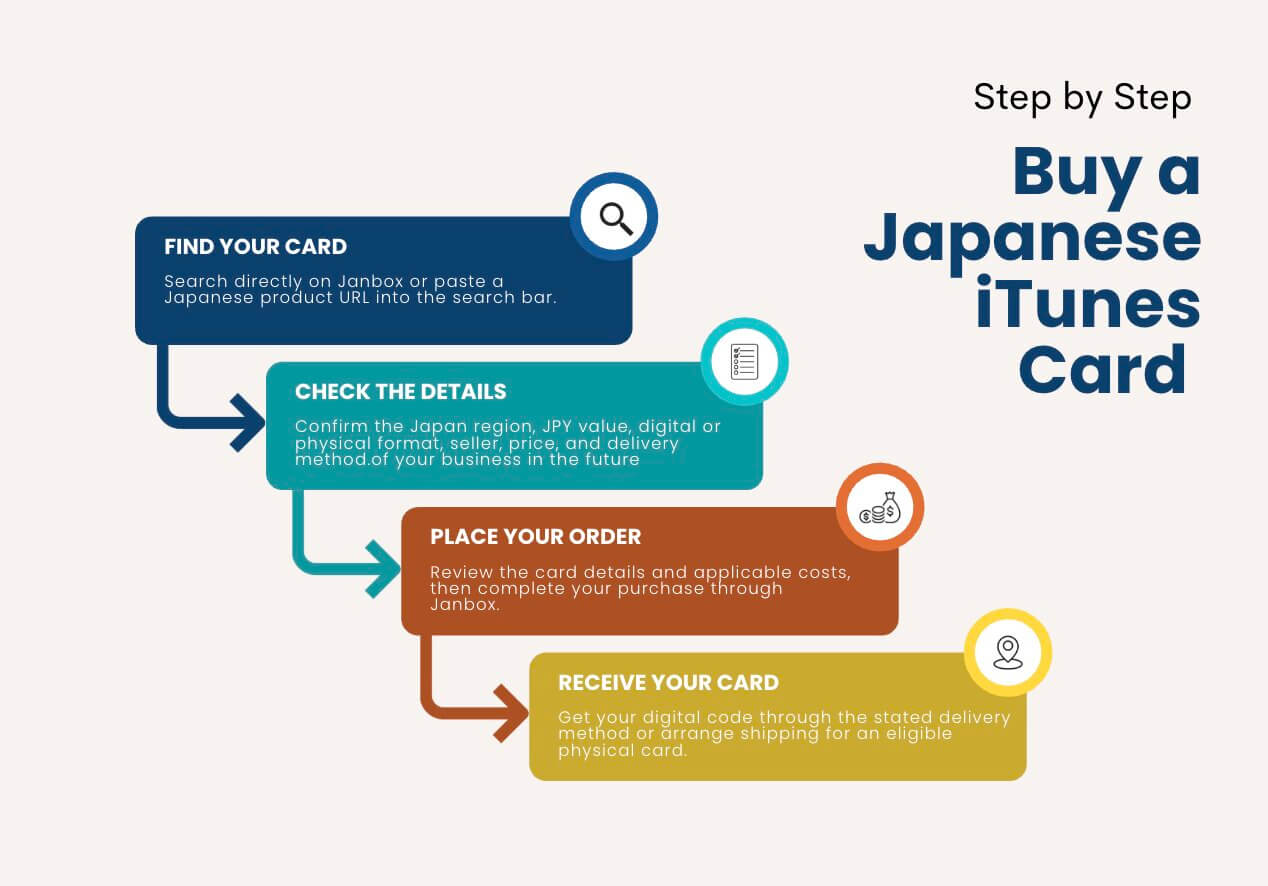
As mentioned above, Janbox gives international buyers another way to access Japanese gift card listings when purchasing directly from Japan is difficult. You can start your search on Janbox itself or bring in a specific listing you have already found elsewhere.
The process is relatively short, but gift cards require a little more attention than ordinary products because the region and delivery format must be correct before you pay.
Step 1. Find the Japanese iTunes Card
There are two ways to find the card you want.
The first is to search directly on Janbox. Try keywords such as:
Japanese Apple Gift Card
Apple Gift Card Japan
iTunes Card Japan
The equivalent Japanese product name
If you have already found a suitable card on a Japanese website, you do not need to search for it again. Copy the product URL and paste it into the Janbox search bar to access that specific listing.
Either route works, so the better option simply depends on whether you are still browsing or already know exactly which card you want.
Step 2. Check the Card Before Ordering
Do not place the order based only on the card value shown in the product image. Open the listing and verify the details carefully.
In particular, confirm:
Region: The card must be for Japan.
Currency: Look for a value in Japanese yen.
Denomination: Choose an amount appropriate for what you plan to purchase.
Format: Determine whether it is a digital code or physical card.
Seller: Check who is providing the card.
Price: Compare the amount you pay with the actual balance you receive.
Delivery: Understand how the code or physical product will reach you.
This step matters because a Japanese gift card cannot simply be treated as interchangeable with a card issued for another Apple storefront.
Step 3. Place Your Order Through Janbox
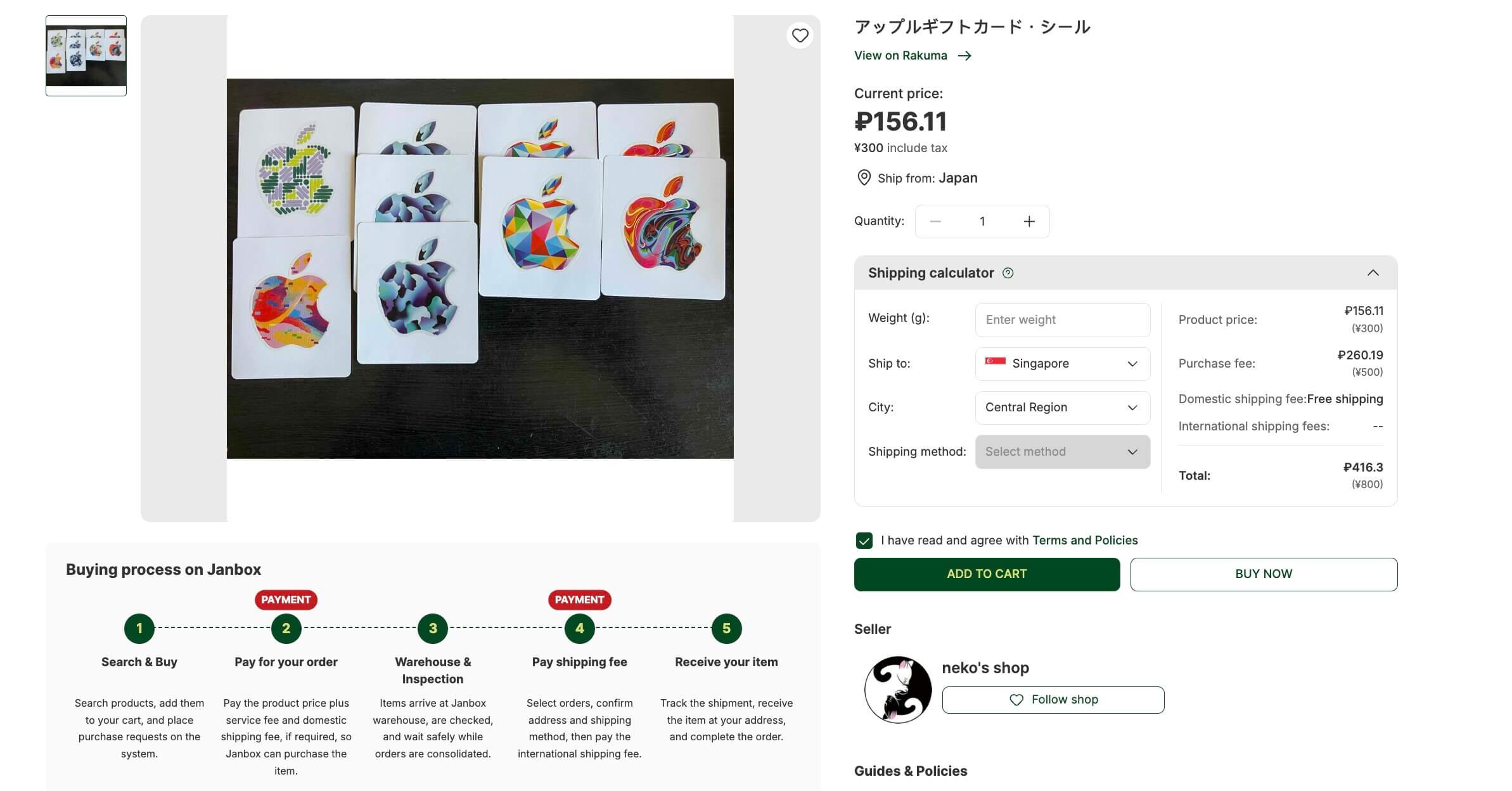
Once you have confirmed the details, proceed with the order through Janbox. Review the product price and any applicable costs before completing payment.
For gift cards in particular, check the listing terms one final time before confirming. Digital products may have stricter cancellation or refund conditions once a code has been issued, so correcting a mistake after purchase can be much harder than catching it beforehand.
Step 4. Receive Your Japanese iTunes Card
What happens next depends on the format of the card you purchased.
For a digital gift card, follow the delivery method stated for the listing and order. Once the code becomes available, keep it private until you are ready to redeem it.
For a physical gift card, the logistics may involve delivery within Japan first and international shipping afterward, where supported. Check the available shipping arrangement and total cost before choosing a physical card solely for account top-ups.
Once you have the card or code, the purchasing stage is complete. The next step is making sure you redeem it to the correct Japanese Apple Account so the balance can actually be used.
How to Redeem a Japanese iTunes Gift Card
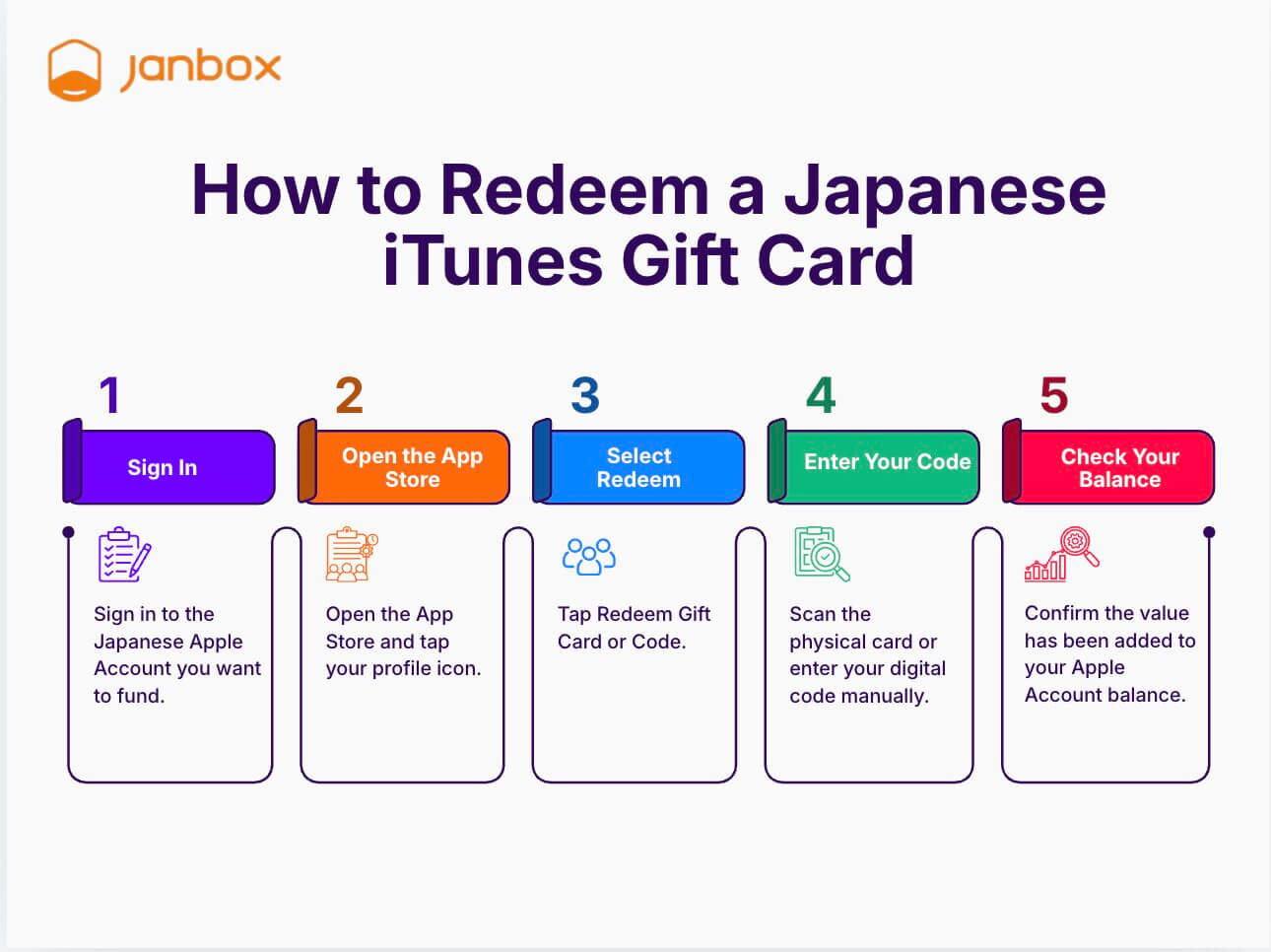
Once you have your Japanese iTunes card or Apple Gift Card code, redeeming it adds the value to your Apple Account balance. The most important thing to check before you start is the account region: a Japan-region gift card needs to be redeemed through an Apple Account set to Japan.
Step 1. Sign In to the Correct Apple Account
Before entering the code, confirm that you are signed in with the Japanese Apple Account you want to fund.
Do not redeem the card to another account by mistake. Once the balance has been added, moving it between Apple Accounts is generally not an option.
Step 2. Open the App Store
On your iPhone or iPad, open the App Store and tap your profile icon at the top of the screen.
Make sure the account shown here is the Japanese account you checked in the previous step.
Step 3. Select Redeem Gift Card or Code
From your account menu, select Redeem Gift Card or Code.
Apple will then give you the option to use your device's camera or enter the redemption code manually.
Step 4. Enter or Scan Your Code
If you purchased a digital card, enter the code you received. For a physical card, follow the instructions on the card to reveal the code, then scan or type it into the App Store.
Check each character carefully when entering the code manually. Once everything is correct, confirm the redemption.
Step 5. Check Your Apple Account Balance
After the code is successfully redeemed, its value should be added to your Apple Account balance.
You can check the available balance through your App Store account and then use it toward eligible purchases on the Japanese storefront, such as apps, games, in-app purchases, subscriptions, and other supported digital content.
If the code is rejected, do not immediately buy another card. First confirm that the card and Apple Account are both set to Japan, check that the code was entered correctly, and verify that it has not already been redeemed.
Conclusion
If you want to buy a Japanese iTunes card from outside Japan, getting the code is only part of the process. The card region, Apple Account region, denomination, delivery format, and final purchase price all deserve a quick check before you pay.
You can buy through Apple's Japanese ecosystem, Japanese retailers, digital gift card sellers, or explore Japanese listings through Janbox. Whichever route you choose, make sure you are purchasing a Japan-region card that matches the account where you intend to use the balance.
FAQs
Can I use a Japanese iTunes card outside Japan?
Yes, you can physically be outside Japan when using a Japanese gift card, but the important restriction is the Apple Account/storefront region. A Japan-region card is intended for the Japanese storefront and cannot simply be redeemed to an account registered in another country.
Can I redeem a Japanese iTunes card on a US Apple Account?
No. Apple gift cards are country or region specific, so a Japanese card cannot normally be redeemed to a US Apple Account. You need an account associated with the Japanese storefront.
Do I need a VPN to redeem a Japanese iTunes card?
A VPN is not what determines whether the gift card is valid. The key factors are the region of the gift card and the region associated with your Apple Account.
Can I use a Japanese iTunes card for in-app purchases?
Yes, Apple Account balance can generally be used for eligible in-app purchases. This is one reason Japanese gift cards are popular with players who use Japanese-region mobile games and need JPY balance.
Table of Contents
Related Posts