How to place a bid on Janbox
How to Place a Bid on Janbox
Janbox allows you to participate in Japanese online auctions and place bids on products from popular auction platforms in Japan.
Whether you are searching for collectibles, rare items, electronics, fashion products, or limited-edition goods, Janbox helps you bid securely and ship your purchases worldwide.
This guide explains the complete bidding process from selecting a bid plan to receiving your package.
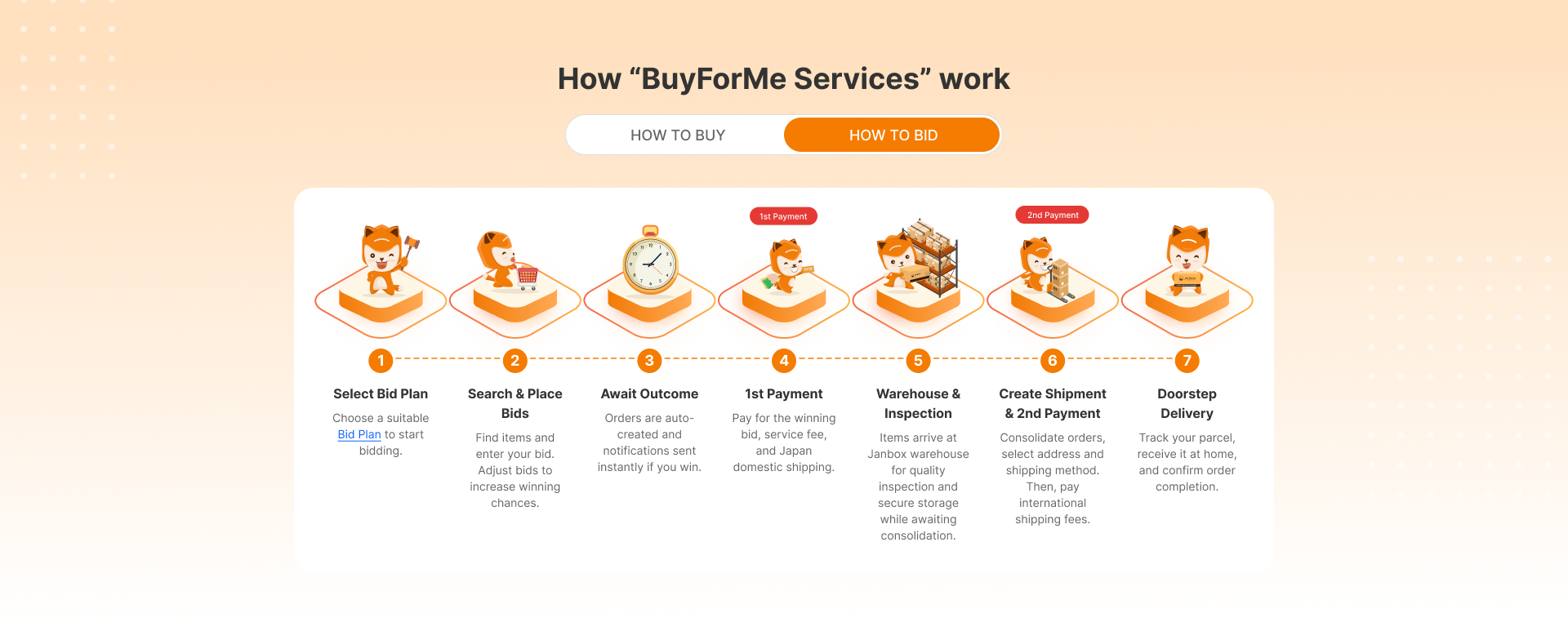
Step 1: Select Bid Plan
Before placing bids, choose a suitable bid plan that matches your shopping needs. Go to “Bidding”. At the “My bid” page, choose “Manage”.
Janbox offers different bidding plans depending on the number of bids, supported features, and service conditions. Selecting the right plan helps you manage your auction activity more efficiently. If you are not currently using a Bid Plan, you can easily activate one by clicking the “Active now” button available on the following pages:
Product Detail page
My Account page
My Bid page
What to consider when choosing a plan
Number of auctions you plan to join
Frequency of bidding
Service fees and limits
Access to advanced bidding features
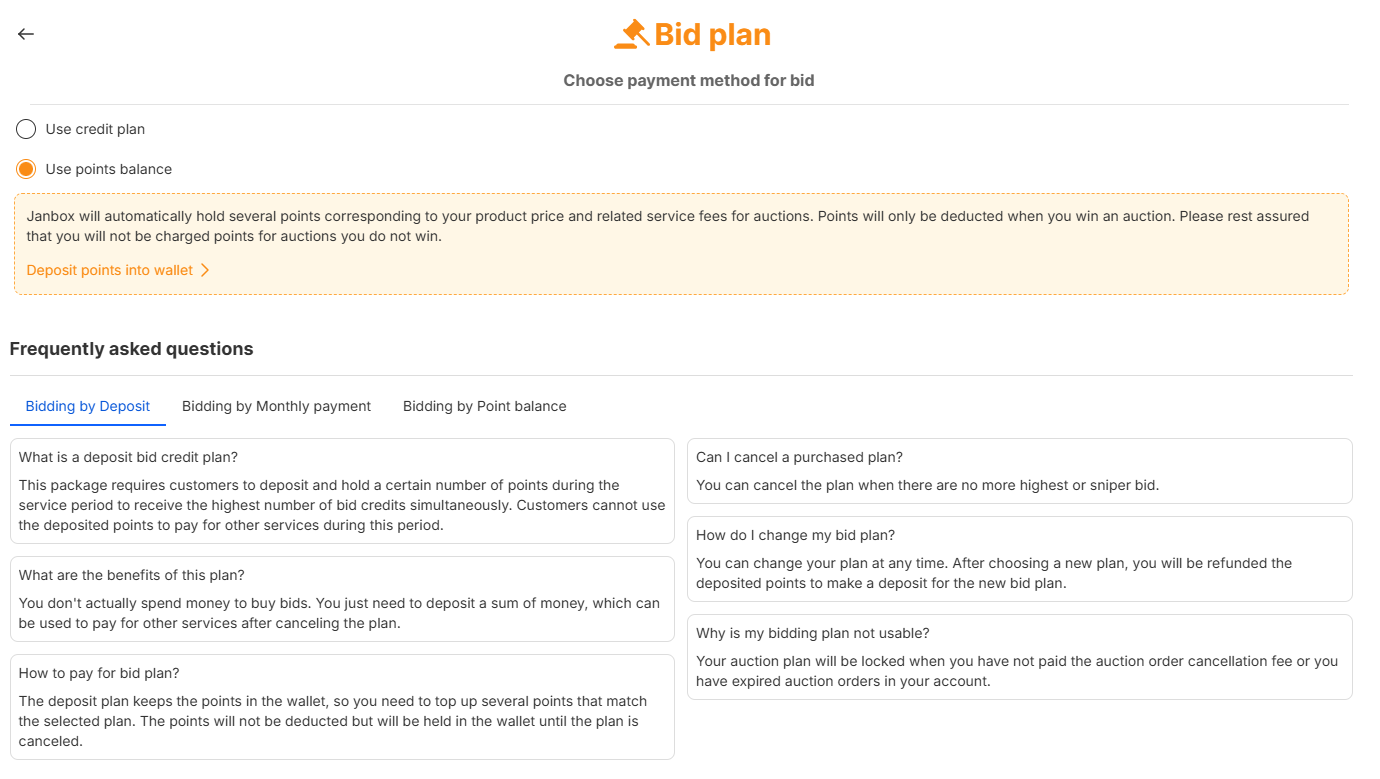
Important notes
Some bid plans may include additional benefits
Plan availability may vary depending on your account status
Please review the latest plan details before bidding
Step 2: Search & Place Bids
Search for products from supported Japanese auction websites through Janbox.
Once you find an item you want, enter your bid amount and submit your bid through the system. You can place bids manually or adjust your maximum bid amount to improve your chances of winning.
Janbox will automatically submit bids based on your settings during the auction process.
What you can do in this step
Search auction items by keyword
View product details and seller information
Enter your bid amount
Monitor active auctions
Adjust bid amounts if needed
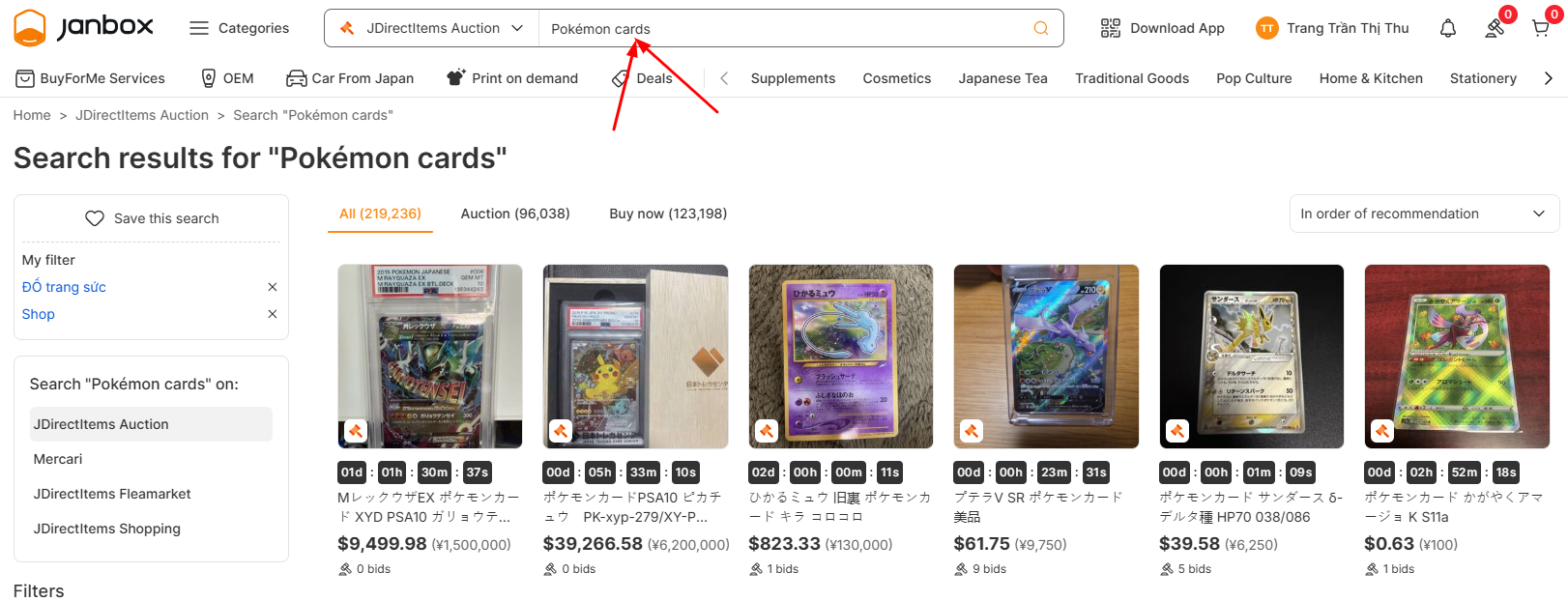
Important notes
Placing a bid does not guarantee winning the auction
Some auctions may end quickly depending on demand
Bid cancellations may not be possible after submission
Step 3: Await Outcome
After placing your bid, wait for the auction to end.
If your bid wins, the order will be automatically created in your Janbox account, and you will receive a notification. If another bidder places a higher bid before the auction closes, you may lose the auction unless you increase your maximum bid.
During the waiting period
Monitor auction status
Receive bidding notifications
Update your maximum bid if necessary
Check auction closing times carefully
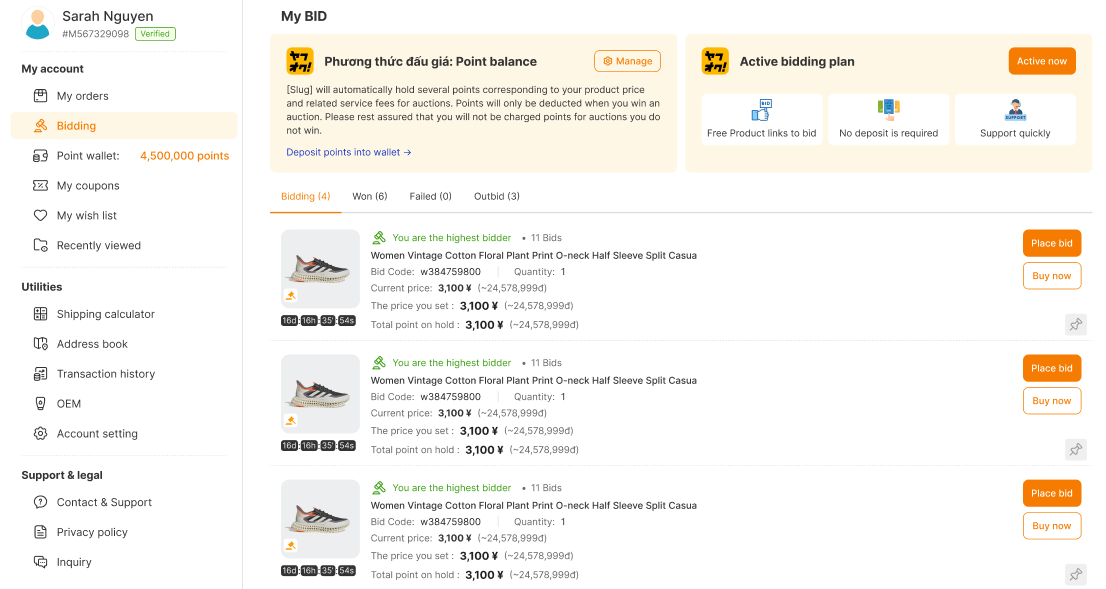
Important notes
Auction end times may change in some cases
Last-minute bidding activity is common
Winning notifications are sent automatically through the system
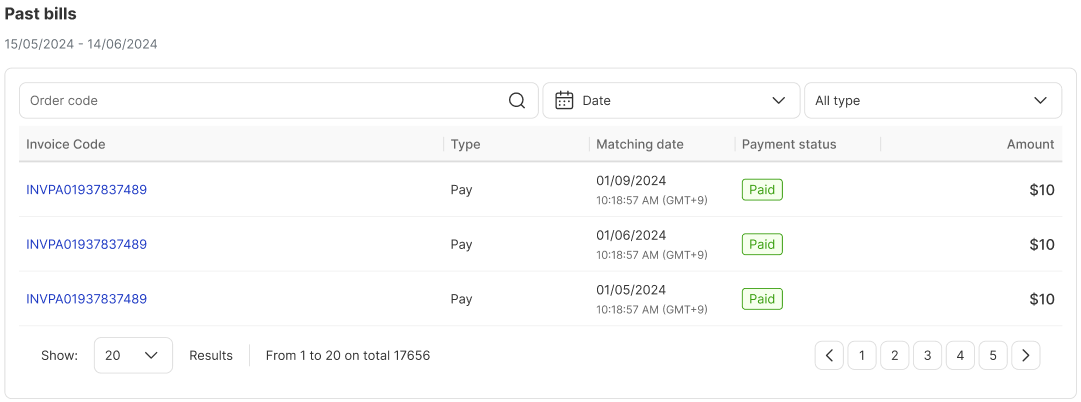
Step 4: 1st Payment
If you win the auction, you will need to complete the first payment.
The first payment usually includes:
Winning bid amount
Janbox service fee
Domestic shipping fee within Japan (if applicable)
Additional service fee (if any)
Once payment is confirmed, Janbox will proceed with purchasing the item from the auction seller.
Important notes
Payment deadlines may apply for auction orders
Orders may be canceled if payment is not completed on time
Additional seller fees may apply in some auctions
Step 5: Warehouse & Inspection
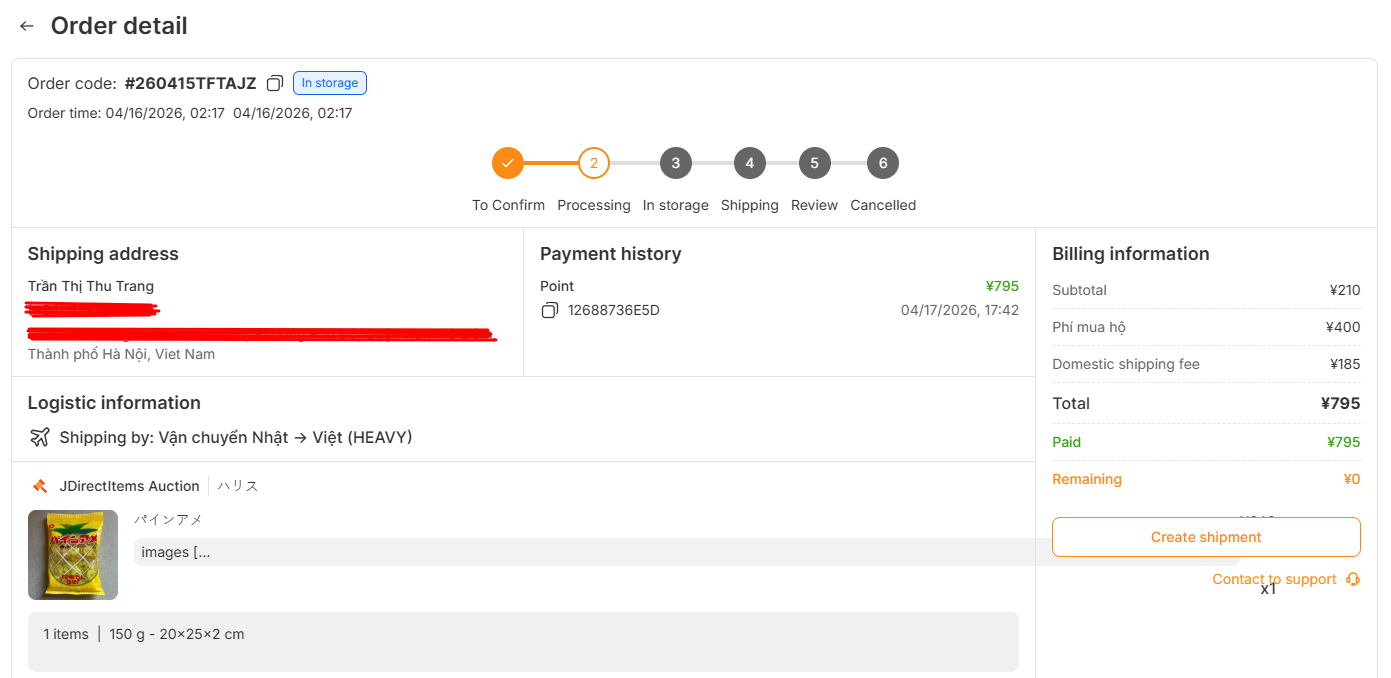
After the seller ships the item, the package will arrive at the Janbox warehouse in Japan.
The warehouse team will receive and inspect the package before storing it securely. If you purchase multiple items, you may consolidate them into one shipment to save on international shipping costs.
Warehouse services
Package receiving
Storage service
Package consolidation
Basic inspection support
Important notes
Storage periods may be limited
Consolidation may require additional processing time
Fragile or oversized items may require special handling
Step 6: Create Shipment & 2nd Payment
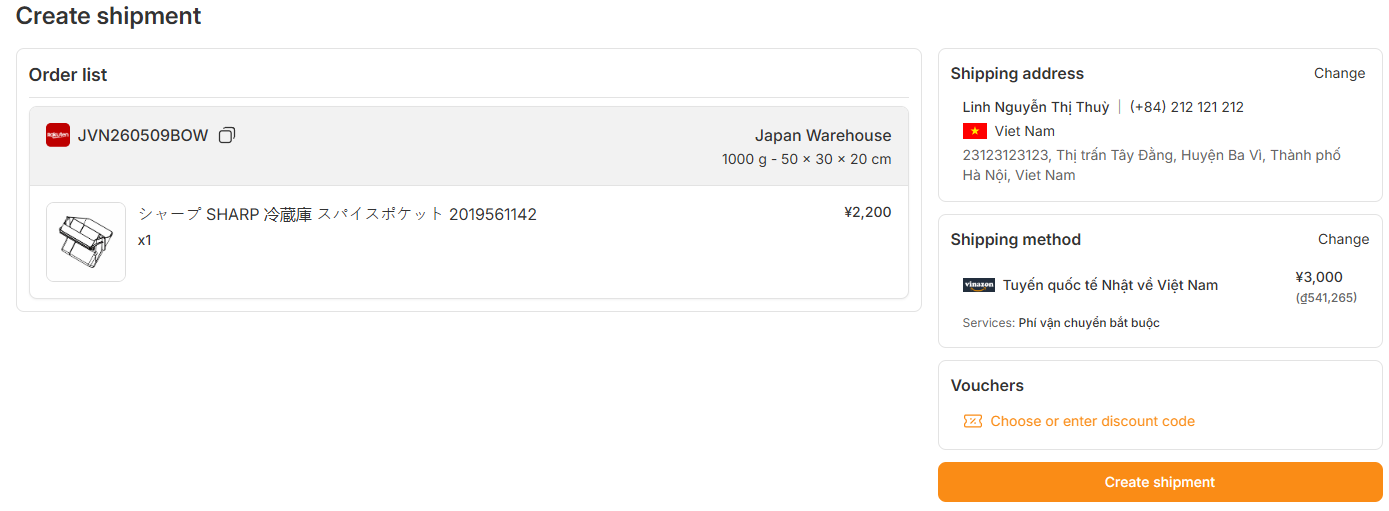
Once your items are ready at the warehouse, create your international shipment.
Choose your shipping address and preferred shipping method. After confirming shipment details, complete the second payment for international shipping fees.
Shipping options may include
EMS
DHL
FedEx
UPS
Air Mail
Surface Mail
What affects shipping cost
Package weight and dimensions
Shipping carrier
Destination country
Delivery speed
Important notes
Customs duties and import taxes may apply
Some items may be restricted for international shipping
Shipping times vary depending on the selected carrier
Step 7: Doorstep Delivery
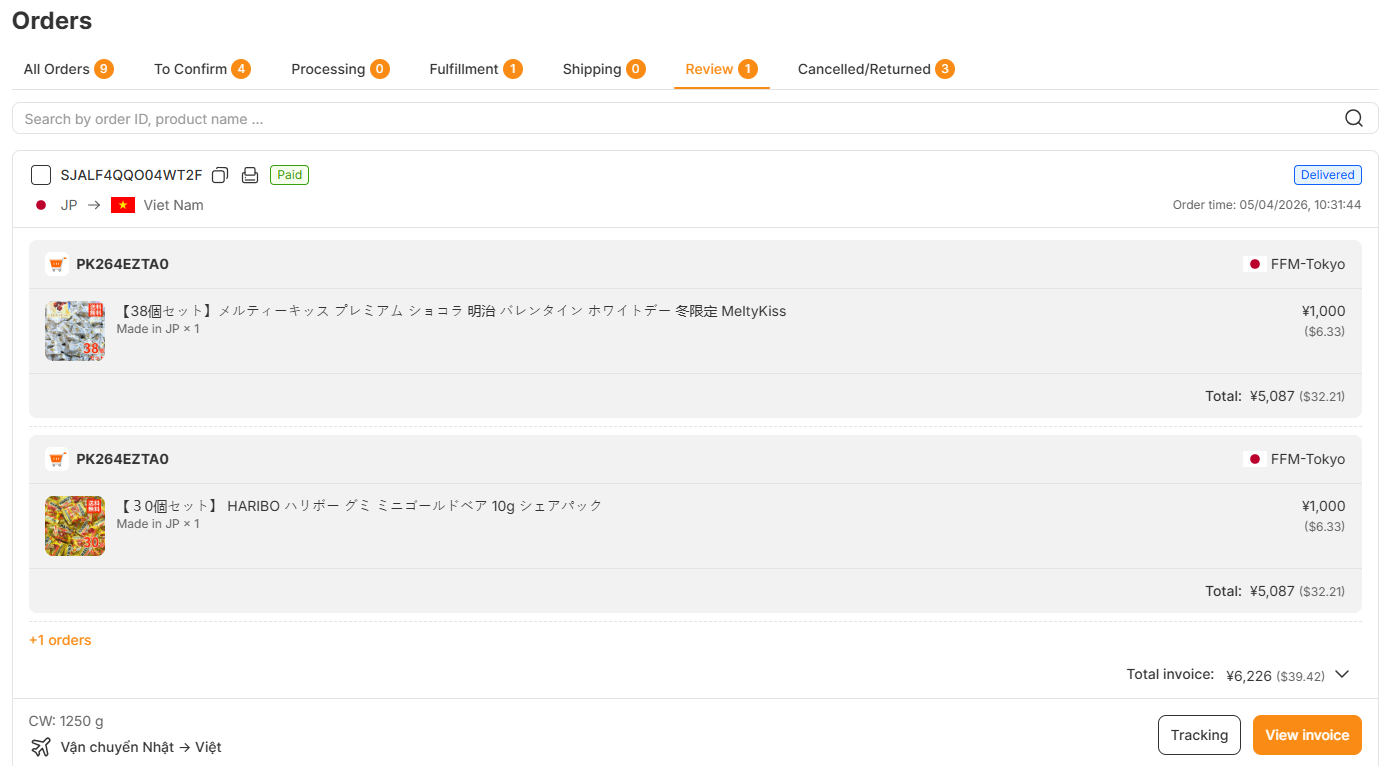
After your shipment is dispatched, your package will be delivered directly to your address.
You can track your package using the tracking number provided in your Janbox account. Delivery updates will depend on the selected shipping carrier and local customs processing.
What happens after shipment
Receive tracking information
Monitor package delivery status
Complete customs clearance if required
Confirm package receipt
Important notes
Delivery delays may occur during holidays or peak seasons
Customs inspections may extend the delivery time
Please check local import regulations before bidding
Tips for Successful Bidding
Participating in Japanese auctions can be competitive. Here are a few tips to improve your bidding experience:
Research the market price before bidding
Set a maximum budget in advance
Monitor auction ending times closely
Check seller ratings and product conditions carefully
Avoid emotional bidding during competitive auctions
Frequently Asked Questions
Can I cancel a bid after placing it?
In many cases, bids cannot be canceled once submitted. Please review your bid carefully before confirming.
What happens if I lose the auction?
If you do not win the auction, no order will be created, and no payment will be required for the item.
Why are there two payments?
Auction purchases usually involve:
The initial payment for the product and domestic fees
The international shipping payment is made after the item arrives at the warehouse
Can I combine auction items with regular purchases?
Yes. Depending on warehouse conditions and timing, you may consolidate auction items with other purchases.
Can I track my shipment?
Yes. Tracking information will be available after your package is shipped internationally.
Last updated: May 15, 2026 at 11:41:54 AM